
Lasersaur Laser Cutter
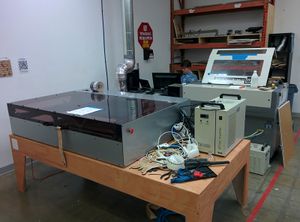 Lasersaur Laser Cutter
The Lasersaur is an open source laser cutter designed by Nortd Labs.[1] The working area is approximately 24” by 48” and the laser tube is rated for 100 watts continuous output. The project at the Dallas Makerspace is based on v14.03 of the Lasersaur. Funding was approved for a Lasersaur build during the Board of Directors Meeting 20150322. The board approved $12,500 for the project, about $11,000 for parts and the remainder for accessories and facility electrical upgrades if needed.
Current Status
Section titled “Current Status”This tool is no longer available for use. As of 11/4/2017, it has been supplanted by the new Thunder Laser
Materials
Section titled “Materials”Please see the list of Laser Cutter Materials for materials that are not allowed to be cut on the machine.
Laser Usage Fee
Section titled “Laser Usage Fee”To allow for purchase of consumables and upgrades, there is a $1 per 5 minutes usage fee (rounded up, so 5:01 minutes = 10 minutes of usage).
Assembly
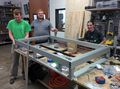
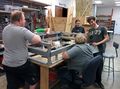
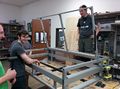
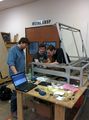
Section titled “Assembly”The assembly took approximately two weeks to complete with a few long days in there and several volunteers. It generally went smoothly except for the issues noted in the issues section below.
Gallery
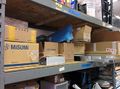
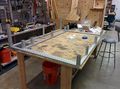
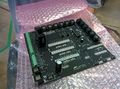
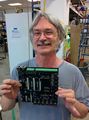
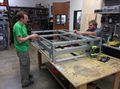
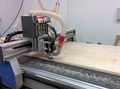
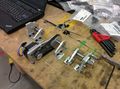
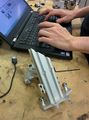
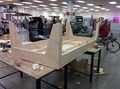
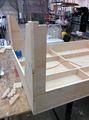
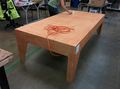
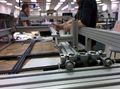
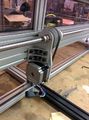
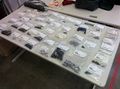
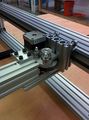
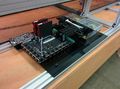
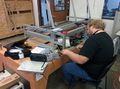
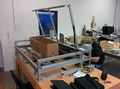
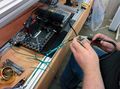
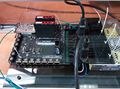
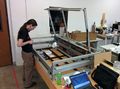
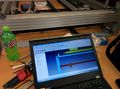
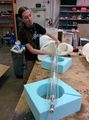
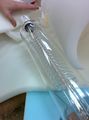
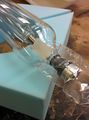
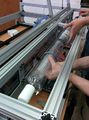
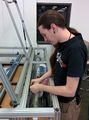
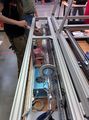
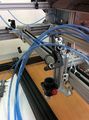
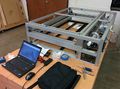
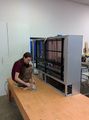
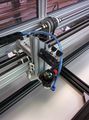
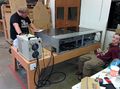
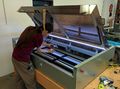
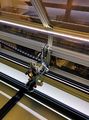
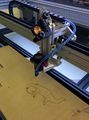
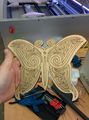
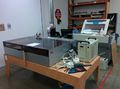
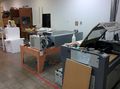
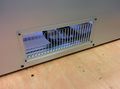
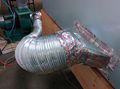
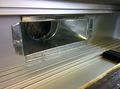
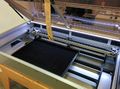
Section titled “Gallery”A video of the first cut made by the machine is on YouTube.[2] Photos of the assembly are below. There are a few photos of the worktable build which was done on the CNC router.


Issues
Section titled “Issues”- Part FWS-D19-V15.0-T1.0 was included in the build instructions but not the bill of materials.
- Some steps were omitted from the instructions like bolting the upper frame to the lower frame.
- Disassembly was required for later steps to insert T-slot nuts (non-drop-in kind), these could have been inserted in previous steps to save time.
- Water jet cut frame parts were not very precise but functional. Bearings were snug in some pieces and loose in others.
The table used for the Lasersaur at the Dallas Makerspace is a modified version of AtFab’s One to Several table.[3] The Table is approximately ~8’ by ~4’ and ~26” tall (exactly 2400mm by 1200mm and 660mm tall). The table is designed to be made of ~3/4” (exactly 18mm) thick plywood. The table has cutouts for standard power outlets on the front and on the back.
Supplies
Section titled “Supplies”- 3x sheets of 4’x8’ by ~3/4” (exactly 18mm) plywood
- 2x 2-Gang outlet box[4]
- 4x outlets [5]
- 2x 2-Gang outlet cover [6]
- Wire in order to attach outlets to the wall [7]
- 1” drywall screws [8]
- CNC router with a minimum work envelope of 4’ by 8’
- .25” down cut end mill [9]
- .125” drill bit
- Electric drill
- Electric screwdriver
- Sandpaper
The DXF files can be downloaded from DropBox.[10] Feel free to send questions regarding the table to the author. The READ ME file on DropBox has the author’s contact information.
Wish List
Section titled “Wish List”- Better rails and bearings for gantry motion system.
- More rigid gantry assembly for more precise engraving at higher speeds.
- Short burst or “test fire” functionality in the software.
- Raster capability in the software.
- Sturdier emergency stop switch.
- Mechanism to precisely adjust belt tension.
- Visible laser for targeting and positioning feedback.
- If building another Lasersaur it would be very nice to have frame panels with holes already drilled.
Troubleshooting
Section titled “Troubleshooting”User Manual
Section titled “User Manual”Connecting
Section titled “Connecting”(Updated 9/17/17)
Use ‘diverboardapp’, on the desktop.
The URL is to the localhost so either of these should work directly in the browser:\
http://localhost:44441
http://127.0.0.1:4444\
If the Lasersaur web page will not load (LasaurApp)
Section titled “If the Lasersaur web page will not load (LasaurApp)”Try resetting the machine by doing the following:
- Push the red emergency stop button or unplug the power cord.
- Wait until the LED lights inside the Lasersaur turn off, indicating that the machine is powered down.
- Turn the red emergency stop button so that it pops out or plug the power back in. The LED lights inside the Lasersaur should turn on.
- Wait for about 30 seconds for the control board to boot up, and try loading the webpage again.
If problems continue or if there are other problems contact laser-support@dallasmakerspace.org for help.
If your SVG file does not import at the correct size
Section titled “If your SVG file does not import at the correct size”- Open your SVG file in Inkscape (it’s installed on the Lasersaur computer)
- Press CTRL+A to select everything, and CTRL+C to copy it to the clipboard
- Create a new document in Inkscape.
- Click on File > Document Properties
- Under the “Page” tab, set default units to “mm”, and set the document size to the size of your material (for foam board this is 20x30”)
- Close the Document Properties window
- Press CTRL+V to paste your drawing into the new document
- Use the move tool to position your drawing inside the document.
- Save the file, and import into the Lasersaur app.
Note: I don’t know why this works, but it seems to fix problems when Lasersaur imports the SVG file at the wrong DPI. If your SVG file is not detected as 90DPI, then the sizing will probably not be correct.
- ↑ http://labs.nortd.com/
- ↑ https://youtu.be/d3HGPoVQvKk
- ↑ https://www.opendesk.cc/atfab/one-to-several-table
- ↑ http://www.homedepot.com/p/Carlon-2-Gang-25-cu-in-Non-Metallic-Old-Work-Switch-and-Outlet-Box-B225R-UPC/100404169
- ↑ http://www.homedepot.com/p/Leviton-15-Amp-Duplex-Outlet-White-R52-05320-00W/202066670
- ↑ http://www.homedepot.com/p/Leviton-2-Gang-Jumbo-Duplex-Outlet-Wall-Plate-White-R52-88016-00W/100356831
- ↑ http://www.homedepot.com/p/HDX-100-ft-16-3-Extension-Cord-HD-277-525/100650619
- ↑ http://www.homedepot.com/p/Grip-Rite-8-x-1-in-Phillips-Bugle-Head-Coarse-Thread-Sharp-Point-Drywall-Screws-1-lb-Pack-1CDWS1/100162981
- ↑ http://www.onsrud.com/product/Item/m/itemDetail.html?itemId=57-280
- ↑ https://www.dropbox.com/sh/exxb14pjz9tepx5/AABoDvTrJX36OcUFJH7FI1Bia?dl=0
Migrated from the legacy DMS wiki: original page