
Google Drive for Members
Each member of the Dallas Makerspace has access to 30 GB of Google Drive Storage. This storage is off site in Google’s cloud and offers a number of beneficial features.
Step-by-step guide
Section titled “Step-by-step guide”Only a few steps are required to begin.
- From any computer connected to the Internet navigate to https://drive.google.com
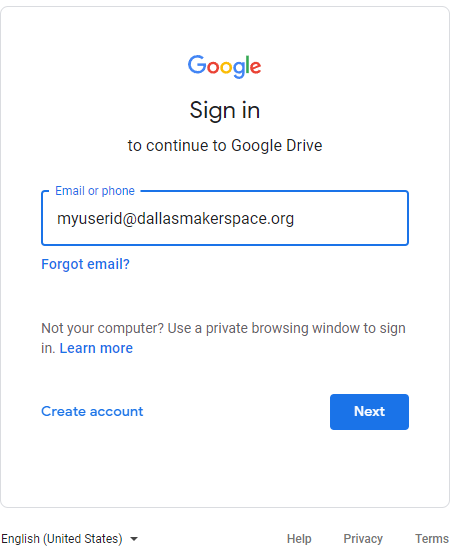
- Login using your DMS Active Directory login user ID + ‘@dallasmakerspace.org’, i.e. the user ID you use to log into onsite computers, your account, etc.
- Example: myuserid@dallasmakerspace.org
-
- You’ll be redirected to a DMS sign on process. Use your user ID only, without the ‘@dallasmakerspace.org’ and your normal password.
-
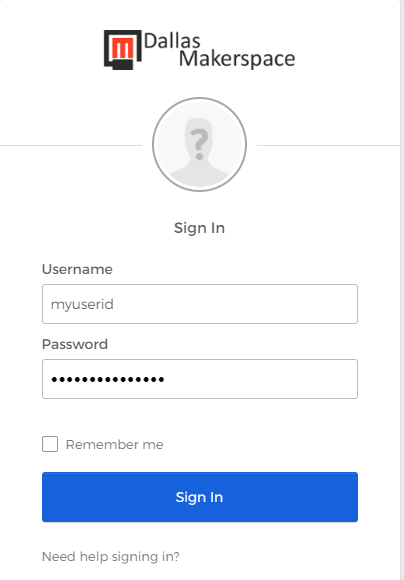
- Click on ‘Sign In’
- That’s all it takes to get started.
Related articles
Section titled “Related articles”Migrated from the DMS Confluence: original page