
RFID Member Info Portal
Introduction
Section titled “Introduction”The RFID Member Info Portal Project is intended to primarily provide a method for members to use the RFID cards and key fobs to lookup information about their Active Directory Account at Dallas Makerspace, including Voting Rights and Machine Use Rights.
The system will be open source and will use off the shelf components as much as possible.
Requirements
Section titled “Requirements”Software
Section titled “Software”- Reads RFID data from a HID USB 125KHz EM4100 compatible RFID reader
- Software for accessing Active Directory for RFID lookup
- Search Active Directory to ensure RFID matches a current member
- Search Active Directory to list AD Groups
- Logging and data collection
Hardware
Section titled “Hardware”- EM4100 compatible 125KHz USB HID RFID reader
- Raspberry Pi 3
- Touchscreen Display
- Network connectivity to the DMS network
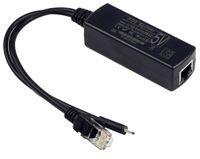
- Hardware for powering the device via Power over Ethernet (802.3af)
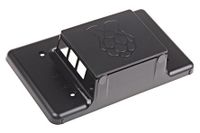
- Case to protect device from dust and tampering
Proposed additions
Section titled “Proposed additions”Software
Section titled “Software”Hardware
Section titled “Hardware”Completed Steps
Section titled “Completed Steps”Software
Section titled “Software”- Software for accessing Active Directory for RFID lookup
Python
import requests url = "http://192.168.200.32:8080/api/v1/lookupByRfid" payload = "rfid=10284295" headers = { 'content-type': "application/x-www-form-urlencoded", } response = requests.request("POST", url, data=payload, headers=headers) print(response.text)cURL
curl -X POST -d 'rfid=10284295' "http://192.168.200.32:8080/api/v1/lookupByRfid"- Startup 7” touchscreen in 800x480 mode
sudo nano /boot/config.txt
... hdmi_force_hotplug=1 hdmi_group=2 hdmi_mode=1 hdmi_mode=87 hdmi_cvt=800 480 60 6 0 0 0 lcd_rotate=2- Startup Chromium in incognito and kiosk mode
sudo nano /home/pi/.config/lxsession/LXDE-pi/autostart
@lxpanel --profile LXDE-pi @pcmanfm --desktop --profile LXDE-pi # @xscreensaver -no-splash #commented to disable screensaver @point-rpi @xset s off @xset -dpms @xset s noblank @chromium-browser --incognito --kiosk http://localhost:5000/ # load chromium after boot and point to the localhost webserver in full screen modeHardware
Section titled “Hardware”- Decided on Raspberry Pi 3 for processor overkill and WiFi ($35)
- Decided on PoE to 5v Micro USB adapter (UCTRONICS IEEE 802.3af Active PoE to Micro USB 5V 2.4A for Raspberry Pi) ($10)
- Decided on RPi 7” Touchscreen ($70)
- Decided on Generic Case for 7” RPi Touchscreen ($15)
- Decided on USB RFID reader ($16)
Status
Section titled “Status”03/18/2017 - Beta version released, ugly but functional
Photos
Section titled “Photos”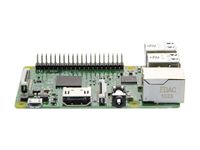
Project members
Section titled “Project members”- Stan Simmons
- SWA
- Michael Smith
- Bill Gee
- Patrick Brewer
Resources
Section titled “Resources”Migrated from the legacy DMS wiki: original page